EveryDollar: Budget Management
- 4.3
- Rating
- 1.00M
- Installs
- Free
- Price

 Analysis by App-foxy
Managing money becomes much easier when the next decision is obvious. That is the main reason I found EveryDollar: Budget Management appealing. Instead of treating a budget as a report I check after spending, I use it as a plan I consult before the month gets busy. The app is free to download, belongs to the Finance category, and comes from Ramsey Solutions. Its store summary focuses on learning about finances and saving money, but in everyday use its real value is the discipline of giving each dollar a job.
EveryDollar has earned a 4.3 average from around 15 thousand ratings, and it has passed over 1 million installs. Those figures suggest a well-established audience, but they do not remove the need to decide whether its method suits you. This is a zero-based budgeting app at heart: I begin with expected income, assign planned amounts to categories, and then record spending against those plans. That approach is particularly useful if you want a simple routine rather than a complicated financial dashboard.
Building a budget that works before the month starts
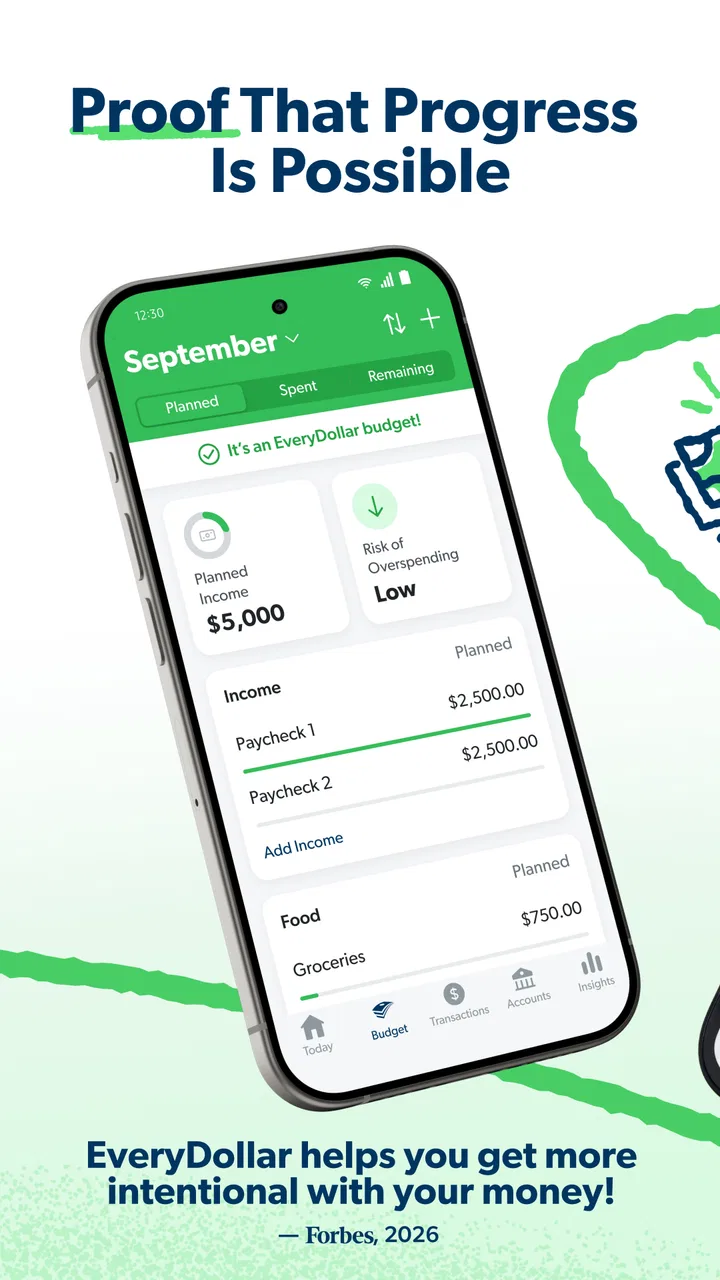
My preferred starting point is deliberately plain. I enter the income I expect, create the categories that reflect my actual life, and allocate money until the plan balances. I do not begin by adding every possible category. A budget with too many tiny lines can look precise while becoming exhausting to maintain. Housing, utilities, food, transport, subscriptions, debt payments, savings, and flexible spending usually give me a more workable first draft.
You May Also Like

 Blood Strike: 2.5 Anniversary
Blood Strike’s Loadouts Turn Every Drop Into a Tactical Gamble
A close look at Blood Strike’s custom loadouts: how fast access to signature weapons reshapes its battle royale rhythm, rewards preparation, and narrows the gap between fights.

 Pandora - Music & Podcasts
Pandora’s Music Is Easy to Start, but Harder to Recover
Pandora’s strength is its low-effort path from a seed to a station. Its weak spot is how much confidence it asks you to place in connection, setup, and quiet recovery.

 8 Ball Pool
 Is Built on Rivalries, Rematches, and Routine
A close look at the rivalries, rematches, shared routines, and unanswered safety questions that turn a quick pool match into a persistent mobile community.

 Samsung Music
’s Quiet Strength Is Playing What You Already Own
Its reach comes less from spectacle than from dependable access to a personal library. That simplicity is both the app’s strongest retention engine and its ceiling.

 AccuWeather: Weather Radar
AccuWeather Review: A Quick, Clear Forecast for Everyday Decisions
For everyday plans, the best forecast is the one you can understand quickly. AccuWeather makes rain timing, radar, and local conditions easy to act on, with a few trade-offs.

 Hill Climb Racing
Why Hill Climb Racing Still Turns Crashes Into One More Run
A tiny car, a bumpy hill and one more upgrade: Hill Climb Racing keeps resurfacing because its simple chaos makes every near-miss feel personal.
More From Our News Desk



The important distinction is between a plan and a spending history. EveryDollar is most useful when I enter an amount before using the money, then return to the category after the purchase. If I wait until the end of the month, the app becomes a record of what happened rather than a tool that helps me choose. That small change in timing is where the method becomes practical.
A realistic everyday example is a busy week in which I buy groceries, fill the car, and pay for a school expense. I can open the relevant category before spending and see whether the planned amount still makes sense. If groceries are running high, I can reduce a less urgent category instead of pretending the difference will disappear. The app does not make that decision for me, which is a limitation, but it makes the trade-off visible.
I also find it helpful to separate predictable bills from flexible spending. A monthly rent payment should not compete visually with coffee or an unplanned lunch. Keeping fixed obligations clear helps me understand what money is genuinely available. At the same time, I avoid creating a category for every individual merchant. The goal is a budget I will update consistently, not a perfect accounting system that I abandon after a week.
People paid on an irregular schedule need a little more care. I would build the plan around income that is reasonably expected rather than treating uncertain money as available. When income arrives at different times, the app still benefits from the same habit: assign money intentionally, record transactions promptly, and adjust categories when reality changes. It is less comfortable than spending first and hoping the totals work later, but it is much more honest.
What I check before trusting the totals
Before relying on a monthly balance, I review the category names and the amounts assigned to them. A budget can appear balanced while quietly omitting annual costs, gifts, medical expenses, maintenance, or irregular travel. I prefer to acknowledge those expenses in the plan, even if the monthly amount is modest. This is one of the most useful lessons the app encourages: forgotten expenses are still expenses.
I also distinguish between money that is reserved and money that is available. A category may show room to spend, but that does not mean the overall household can afford a purchase if another obligation is due soon. EveryDollar gives me a framework for organizing the decision; it cannot understand my bank balance, upcoming commitments, or personal priorities unless I account for them myself.
That manual responsibility is both the strength and the weakness of the experience. I get a clear picture because I choose the structure, but the picture is only as accurate as my entries. Someone looking for automatic financial tracking may find this approach too hands-on. Someone who wants to become more aware of spending may appreciate the friction.
Settings and choices worth reviewing early
The first settings I would examine are the ones that affect how the budget reflects my household: the currency and regional conventions, the categories I actually use, and any recurring obligations I need to remember. I would not leave the default structure untouched simply because it is convenient. A category system should match the way I make decisions. If I regularly debate dining out separately from groceries, those expenses should not be hidden in one broad line.
Recurring transactions deserve special attention. For a stable bill, preparing the entry in advance can reduce repetitive typing and make the month easier to scan. I still check the amount before treating it as final, because bills can change and a repeated entry is not proof that the charge happened. This is a useful experienced-user habit: use repetition to save effort, but not as a substitute for checking the real transaction.
I would also decide how to handle shared spending before the first busy month. If two people use the same budget, agree on category names and on who records which purchases. Otherwise, the problem is not the app; it is duplicate or missing information. A short weekly check-in can be more effective than asking one person to reconstruct the entire month from memory.
Notifications and account-related preferences are worth reviewing according to your tolerance for reminders. I prefer prompts that support a routine without turning every purchase into an interruption. The right balance depends on how often I forget to record spending. If I am consistent, fewer reminders may be enough. If I regularly postpone entries, more visible nudges can protect the habit.
The app is rated for Everyone, which makes it approachable for households that want to introduce budgeting without presenting a complicated financial tool. That does not mean every screen will feel equally intuitive to every user. New budgeters may need a few sessions to understand why an assigned amount, a spent amount, and a remaining amount are not interchangeable. I recommend learning those distinctions before judging the app’s usefulness.
Small routines that make the app faster
The fastest workflow I found is not about rushing through entries. It is about reducing the number of decisions made at the wrong time. I review the budget at the start of the month, record purchases close to when they happen, and make a short adjustment when a category changes. This prevents the end-of-month cleanup that makes budgeting feel like paperwork.
For regular expenses, I use consistent descriptions and categories. That makes the list easier to scan and reduces hesitation. For unusual purchases, I pause long enough to decide whether the expense belongs in an existing category or reveals a gap in the budget. If I repeatedly force an expense into an awkward category, I treat that as evidence that the structure needs refinement.
Another useful pattern is to check the budget before a high-impact purchase rather than after it. A quick glance at the relevant category can prevent an avoidable overspend. This is especially valuable for flexible areas such as entertainment, clothing, dining, and personal spending, where a single decision can consume most of the planned amount.
I would not try to update everything while distracted. Entering a transaction incorrectly can be worse than entering it a few minutes later. My practical compromise is to make a quick note of the purchase and complete the entry during a dedicated check. The app works best when the routine is reliable, not when every update is performed in a hurry.
Experienced users can also use category adjustments as a learning tool. If I repeatedly move money from one category to another, I ask whether the original plan was unrealistic, whether the expense is seasonal, or whether my priorities have changed. That turns the monthly budget into feedback. The transfer itself is not the insight; the repeated pattern is.
Where it differs from automatic budgeting alternatives
Compared with a typical bank dashboard, EveryDollar puts intention before transaction history. A bank app can show what left the account, but it usually does not make me state what I planned to do with the money. That makes EveryDollar better for someone who wants a deliberate spending plan, while the bank remains better for checking balances, transfers, and confirmed activity.
Compared with automatic budget apps that connect accounts and categorize purchases for me, this app asks for more participation. That can feel slower, particularly if I make many small purchases. The trade-off is control: I am less likely to accept an incorrect automatic category without noticing it. Users who want a nearly hands-off overview may prefer an alternative with stronger automation. Users who want budgeting to teach awareness may find the manual process more valuable.
It also differs from a spreadsheet. A spreadsheet can be customized almost without limit, but it requires me to design formulas, layouts, and maintenance routines. EveryDollar offers a more focused path, so I spend less time building the tool and more time using the budgeting method. The compromise is that I cannot reshape every detail to the same degree as a custom workbook.
Finally, it is not a full financial planning service simply because it sits in the Finance category. I would not choose it as my only tool for investment analysis, tax preparation, detailed net-worth tracking, or complex business accounting. Its center of gravity is household spending plans. That focus is useful, but it should not be mistaken for universal financial management.
Costs, upgrades, and practical expectations
The app is free, which makes it easy to test the budgeting method without committing money at the start. In-app purchases range from $7.99 to $129.99 per item, so I would pay attention to the purchase screen and decide whether any optional upgrade matches my needs before accepting it. The free entry point is helpful, but “free to download” should not be confused with every capability being included at no cost.
My advice is to use the basic workflow long enough to discover whether I will actually maintain it. If I cannot record spending consistently with the free experience, paying for more capability is unlikely to solve the underlying habit problem. If the routine works and an upgrade removes a specific obstacle, then the decision becomes easier to evaluate on its own merits.
The current version is 2026.2.170 and the app requires Android 8.0 or later. That makes the compatibility question straightforward for many Android users, although anyone on an older device should check the operating system before planning a switch. The developer is Ramsey Solutions, a name closely associated with personal-finance education, and the app’s emphasis on learning is noticeable in the way it encourages an active budgeting process rather than passive monitoring.
Who will benefit and who should look elsewhere
I would recommend this app to someone who wants a clear monthly routine, is willing to enter transactions, and prefers deciding in advance how money should be used. It is especially suitable for a person who keeps asking where the paycheck went, a couple trying to coordinate everyday spending, or a beginner who wants categories simple enough to understand.
I would be more cautious about recommending it to someone with highly irregular finances who needs forecasting across multiple accounts, or to a user who refuses manual entry on principle. It may also frustrate people whose main goal is investment tracking, detailed reporting, or automatic categorization. In those cases, a specialized alternative may be the better primary tool, with EveryDollar used only if its planning method still appeals.
There is also a personality fit. I enjoy the accountability of opening the app and making a choice. Another person may experience the same process as unnecessary administration. Neither reaction is wrong. A budget only helps when the user can repeat the behavior during ordinary, tiring weeks, not just when motivation is high.
My final assessment after using the method seriously
EveryDollar: Budget Management is strongest when I treat it as a daily decision tool rather than a financial scrapbook. Its categories and planned amounts make trade-offs visible, while its manual nature forces me to notice spending that automatic systems can quietly hide. The best results come from a modest category structure, timely entries, and a regular review of repeated adjustments.
Its limitations are real. Manual maintenance takes effort, shared budgets require agreement, and the app cannot replace careful judgment about cash flow or larger financial goals. People seeking automation or advanced financial analysis may be happier elsewhere. I would also avoid upgrading until I had proved that the basic routine fits my life.
For me, the deciding advantage is clarity. When an expense appears, I can ask whether it belongs in the plan and what must change if I choose it. That question is more useful than a polished chart after the money is gone. If you want budgeting to change your behavior, not merely describe it, this is a strong place to begin.
Overall, I see it as a focused, approachable finance app rather than an all-purpose money command center. Its free starting point, Everyone age rating, and established user base make it easy to try, while the zero-based workflow gives it a clear identity. I would recommend it to a friend who wants structure and is prepared to participate. I would steer an automation-first user toward another option. For the right person, the simple habit of planning, recording, and adjusting can be more powerful than a much more elaborate financial dashboard.
FAQs for EveryDollar: Budget Management
01What is EveryDollar and how does it help with budgeting?
EveryDollar is a budgeting app designed to help users manage their finances effectively. It offers a streamlined way to track expenses, set financial goals, and allocate funds. Users can create custom budget categories, monitor spending in real-time, and ensure they stay on track with their financial plans, promoting better money management habits.
02Is EveryDollar free to use, or are there any costs involved?
EveryDollar offers a free version with essential budgeting features. However, for advanced functionalities like bank connectivity, detailed financial reports, and priority support, users can opt for EveryDollar Plus, which requires a subscription. The subscription enhances the user experience by automating many budgeting tasks, making it worth considering for serious budgeters.
03Can EveryDollar connect to my bank account for automatic transaction tracking?
Yes, EveryDollar Plus allows users to link their bank accounts for automatic transaction tracking. This feature helps users save time by automatically importing transactions, which can then be categorized accordingly. It provides a more effortless way to keep tabs on spending without manual entry, though it requires a subscription.
04How secure is my financial information with EveryDollar?
EveryDollar takes security seriously, implementing bank-level encryption to protect user data. Personal and financial information is safeguarded using advanced security protocols, ensuring that users can manage their finances with confidence. The app continuously updates its security measures to combat potential threats and maintain user trust.
05Does EveryDollar offer customer support if I encounter issues?
EveryDollar provides customer support to assist users with any issues. Free users have access to standard support channels, while EveryDollar Plus subscribers receive priority support. This ensures that all users can get the help they need to resolve problems quickly, enhancing the overall user experience.
Pros
- User-friendly interface for easy navigation.
- Customizable budget categories.
- Seamless syncing across devices.
- Real-time expense tracking.
- No ads to distract from budgeting.
Cons
- Limited features in free version.
- No automatic bank transaction import.
- Requires manual data entry.
- Subscription needed for premium tools.
- No investment tracking options.

EveryDollar: Budget Management
Gallery